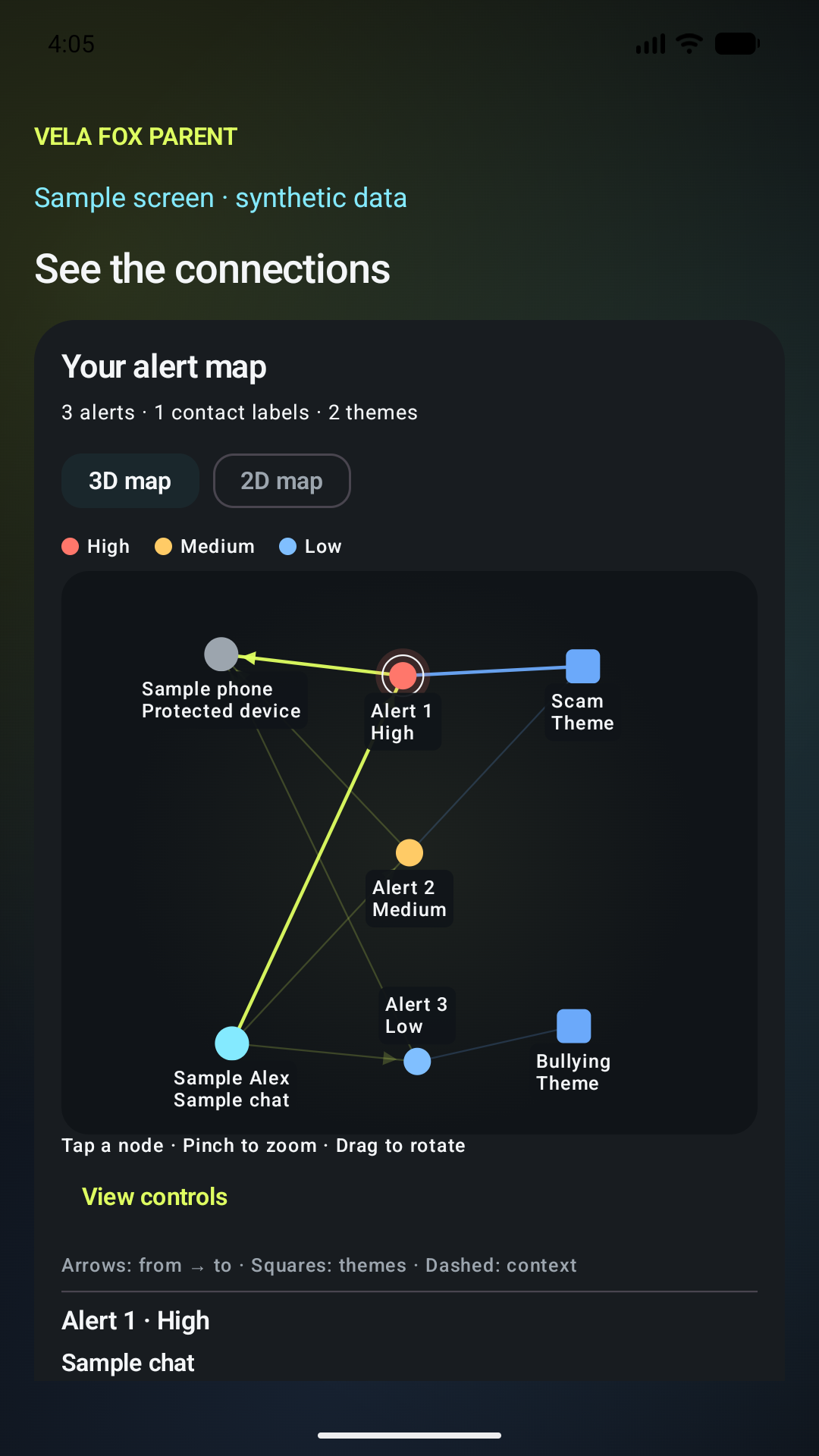
Follow the connections.
Explore alerts, contact labels and themes in 2D or 3D. Severity colors help you find the next item to review.
 Vela FoxFAMILY SAFETY100% LOCAL AI
VELA FOX / THE EXPERIENCE
100% of Vela Fox’s safety AI analysis runs on the protected device. Explore the context, connections and questions—without uploading child content to external servers.
Encrypted evidence.
Direct nearby sharing.
No external servers.
01 / CONNECT THE CONTEXT
Rotate the 3D map. Choose a theme. Select a connection to see the evidence behind it.
Connections show shared labels and themes, not verified identity or intent. Map position does not measure danger.
02 / ASK VELA FOX
In the app, Vela Fox reads selected evidence on the protected phone and cites the findings behind its answer. No external servers. No cloud computing.
Choose a written example below. These are illustrative responses, not live AI output.
Two sample findings share an account-safety theme and the same sender label. Another pair shares a peer-pressure theme in a group chat. These links organize the evidence; they do not prove identity, intent or that the events are related.
03 / INSIDE THE APP
Actual Android app screens with fictional sample data. Open a screen to see it at full size.
Explore alerts, contact labels and themes in 2D or 3D. Severity colors help you find the next item to review.
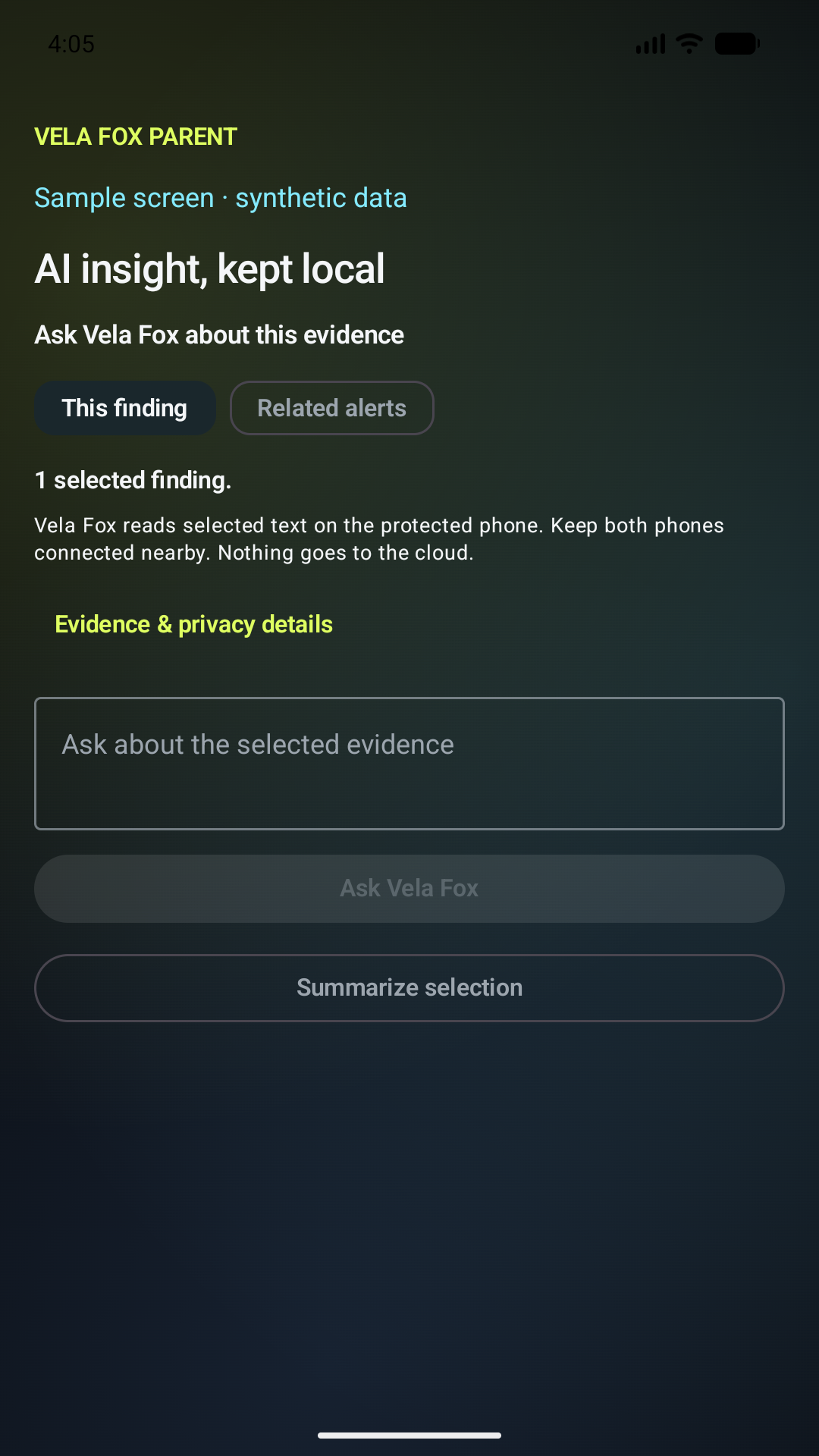
Ask about selected evidence. Your question is answered on the protected phone, with citations back to the findings.
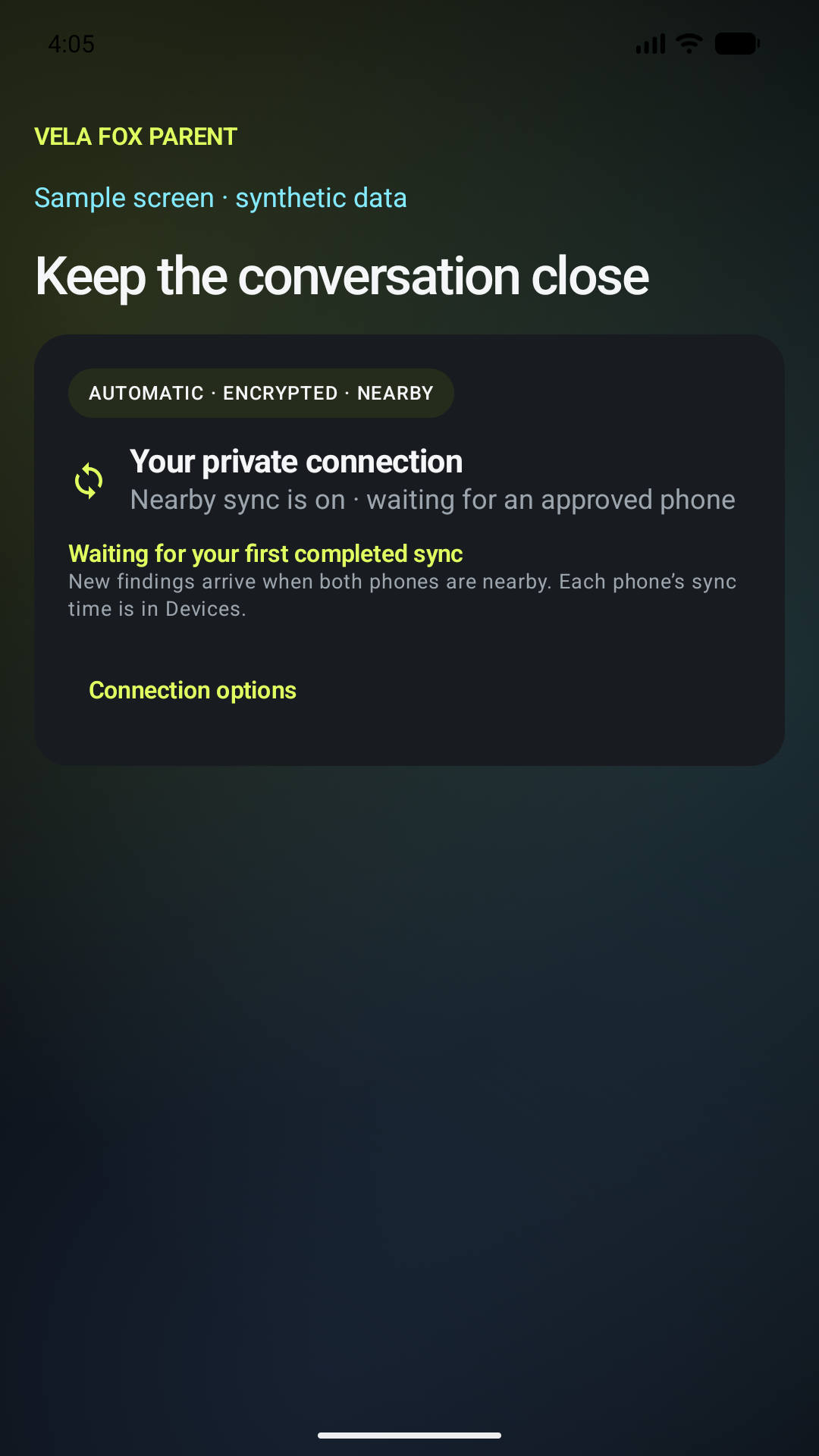
Approved phones reconnect when nearby. Encrypted findings move directly between your family’s phones.
Safety analysis is local; installation, optional account connections and subscription checks use the internet. Parent updates and questions require the protected phone nearby. App access limits apply; AI findings need human review.
CHOOSE YOUR FAMILY SETUP
Install Vela Fox Protect on the protected Android phone. A guardian can review findings in its locked Parent mode. Pairing the separate Parent app is not required for local monitoring or review after family-plan activation.
Get Protect on Google PlayConnect Vela Fox Parent on your phone to your child’s Protect device when you want to receive approved findings over nearby Bluetooth. It does not monitor the phone it is installed on.
Get the Parent companionPremium is the family subscription. Advanced is its optional website download, included at no extra charge, with optional automatic photo-library checks. Advanced is available here, separately from the Google Play edition.
Download Advanced & read setup stepsSubscription setup: Protect build 15 adds purchase and restore directly during setup and in its PIN-protected Parent mode. Google Play availability may vary while the update rolls out. If your installed version has no plan buttons, update Protect; existing Parent subscribers can still restore and link their original plan. The separate Parent app is optional for nearby sharing. “Parent mode” inside Protect lets you review analysis on that same device.
Android 12+ · 8 GB physical RAM · 64-bit ARM · Bluetooth LE
Allow about 6 GB free before installation. Keep 1.1 GB free for working space.
Android 12+ · 4 GB physical RAM · Bluetooth LE
The heavier analysis runs on Protect. Parent receives encrypted findings for your review.
Before permissions or subscription setup, Protect checks the phone and runs invented text and image samples locally. No personal content is needed. The check measures background analysis capacity, rather than requiring instant results. Android Go and virtual RAM do not meet the memory requirements.
Quick safety rules check incoming previews. Deeper automatic reviews wait for idle time, sufficient battery and a cool phone, then pause when the phone wakes. Findings may arrive later. Ask Vela Fox and reviews you start yourself run when requested.
Up to 32 selected reviews wait encrypted on the phone for up to 24 hours. App restarts preserve the original deadline; phone restarts discard waiting reviews. Turning protection off or losing access erases them. Expired files are removed when Vela Fox next runs, and unprocessed previews are never marked safe. Photo checks can resume while library access remains enabled. A successful sample check confirms basic performance, not detection accuracy or all-day battery life. A system or analysis update requires a fresh check.